|
|


|
|
|
| This is an example of an advanced spreadsheet written entirely in standard HTML and JavaScript 1) Use ARROW KEYS and TAB KEY to navigate the spreadsheet.
2) Use the = KEY to open a formula edit box and ESC or ENTER to close it.
3) Remove = KEY from formula box before closing to evaluate formula.
4) Use SEPARATORS between column headings to resize column widths.* This SpreadSheet engine has many configurable features as well as self contained debugging tools. If you would like to know more you may email me here. | 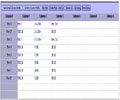 |
|
About |
Projects |
Employment |
Small Art |
Contact |
home
MindRead.com, Copyright© Jason Cooper 2004
|
|
|
|